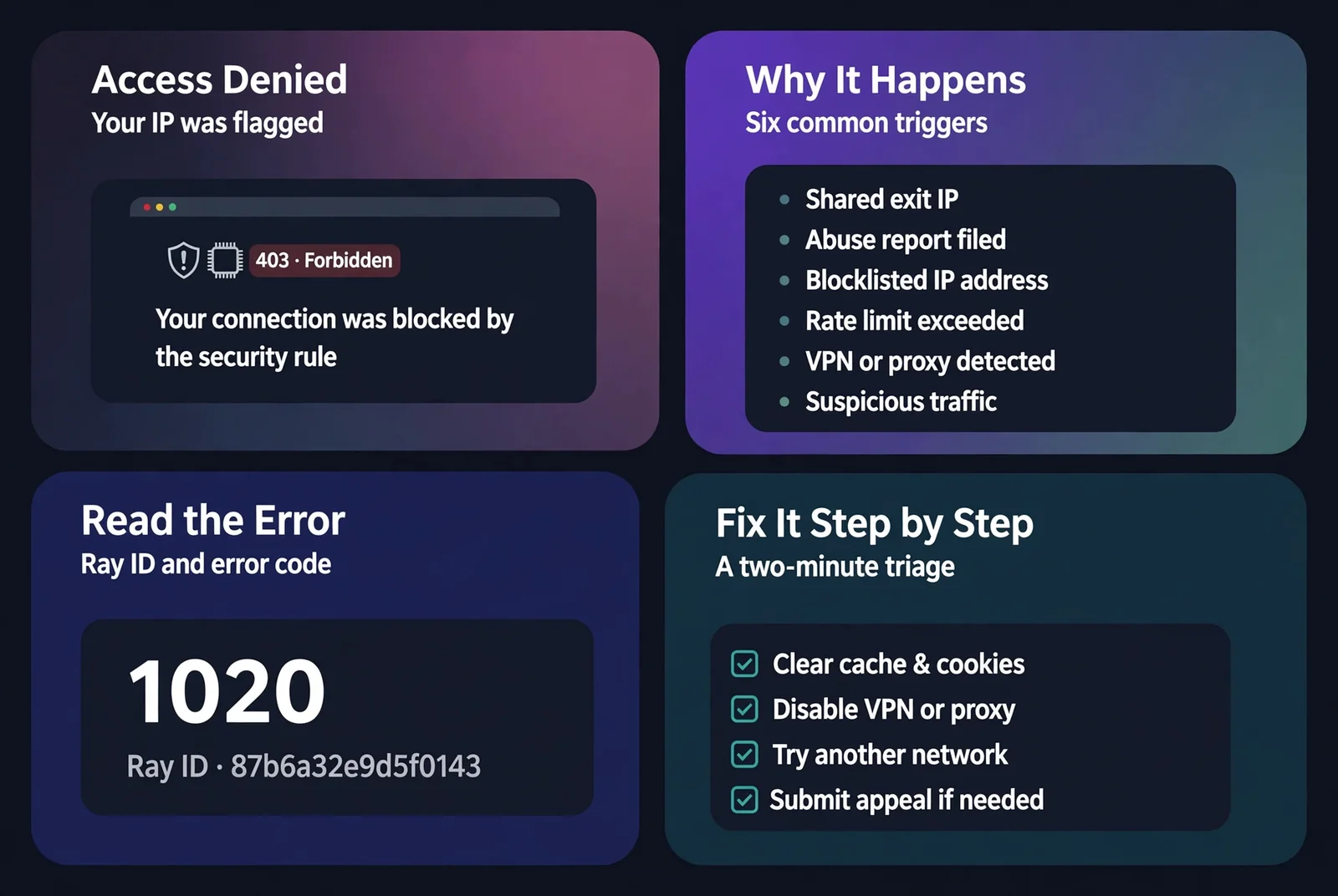
TL;DR — read this first
- "Access denied: your IP address is flagged" is a message from the website's firewall, not from your internet provider. The site (or its security service, often Cloudflare) decided this request looks risky and refused it before the page loaded.
- First question: is it one site, or everywhere? If one site blocks you and the rest of the internet works, the problem is that site's rules plus your IP's reputation. If every site fails, the problem is your connection.
- The fastest triage takes two minutes: reload once, turn your VPN or proxy off and retry, then try the same site on another network (phone data works). Whichever step unblocks you names the cause.
- The usual causes are an IP with a bad reputation, a datacenter or VPN/proxy exit, a Tor exit, a shared address with a bad neighbour, or too many requests too fast. The fix depends on the cause — a delisting request fixes a listing, nothing fixes a rule that simply bans datacenter IPs.
- Copy the error details before you close the page — the Ray ID, the error code (often 1020 on Cloudflare), and the exact wording. Support teams need those to help you.
Our pillar guide explains why your IP is blacklisted, the 7 causes, and the removal process. Our guide to IP flagged for suspicious activity explains what a flag means in general. This article is about the specific moment you hit the wall: the access-denied page itself — how to read it, how to tell whose fault it is, and what to do next.
What you are actually looking at
The page usually looks something like this: a plain white screen, the words "Access Denied", a line saying your IP address has been flagged, and a long string labelled Ray ID or reference number. Sometimes there is an error code — 1020 is the common one on Cloudflare-protected sites.
Three things are worth understanding about that page:
- Your browser reached the site's security layer, not the site. The firewall sits in front of the real server and inspects each request before deciding whether to pass it on. When it refuses, the site itself never sees you.
- The wording comes from the site's security settings, not from a global authority. There is no single "flagged list" every site shares. Each site — or its provider — sets its own rules: block this country, block datacenter IPs, block addresses on this blocklist, block requests that look automated.
- The block is usually aimed at the IP address, not at you personally. The firewall sees an address and a request pattern. It does not know your name, your account, or your intentions. That is also why the fix is usually about the address, not about proving you are a good person.
Is it you, or is it the site? The 30-second test
Before changing anything, find out how wide the problem is.
- Try another website. If other sites load fine, your connection works and the block is specific to that one site. Skip to the triage below.
- Try the same site in another browser or a private window. If it loads there, the problem may be a bad cookie or a cached block page, not your IP. Clear the site's cookies and try again.
- Try the site on mobile data. If it loads on your phone's connection but not on your Wi-Fi, the problem is your Wi-Fi's public IP address. If it fails on both, the site may be down or blocking a wider range — check the site's status page or social account.
If the site loads for everyone except you, you are dealing with an IP reputation problem. If it loads for nobody, wait — there is nothing on your side to fix.
How to read the error page
The page is terse, but it usually carries the three facts a support team needs:
- The error code. On Cloudflare, 1020 means a firewall rule blocked the request; 1015 means rate limiting (too many requests too fast). Other providers use their own codes, and some show no code at all — just "Access Denied".
- The Ray ID. A unique ID for your blocked request. If you contact the site's support, include it: it lets them find the exact rule that fired.
- Your IP address as the site sees it. The page often prints it. Compare it with the address shown by an IP checker — if they differ, a VPN, proxy, or CGNAT is rewriting what the site sees, and that difference is itself a clue.
Screenshot the page or copy these three values before you navigate away. A "the site blocked me" report without them is hard for anyone to act on.
Why the firewall flagged this request
A block is a rule matching your request. The common rules, in the order we see them most:
1. Your IP is on a blocklist the site trusts
Spam, malware, scraping, or credential-stuffing reports get addresses listed on public blocklists (DNSBLs) and reputation databases. Sites that check those lists refuse listed addresses outright. The listing may be old, inherited from a previous user of a dynamic IP, or caused by someone else sharing your address. Check where the address stands with our IP risk score check and a blocklist lookup, then follow the removal process in the blacklist pillar guide.
2. The IP belongs to a datacenter, not a home
Hosting and datacenter ranges are cheap, easy to rent by the thousand, and heavily abused — so many sites treat them as guilty until proven innocent. If your VPN exit, proxy, or cloud server sits in a datacenter range, a site can block you for the network type alone, even with a perfectly clean record. No delisting request fixes this: the rule is about what the address is, not what it did.
3. You are coming through a VPN, proxy, or Tor exit
Shared exits carry the reputation of everyone who used them before you. A VPN server with thousands of users will always include someone a site has already blocked. Tor exits are the extreme case: the exit list is public, and many sites block it by default. Tor is an anonymity tool that routes traffic through relays, and its public exit list makes blocking trivially easy for any site that wants to. Turning the VPN or proxy off and retrying is the fastest way to confirm this cause.
4. A bad neighbour on a shared address
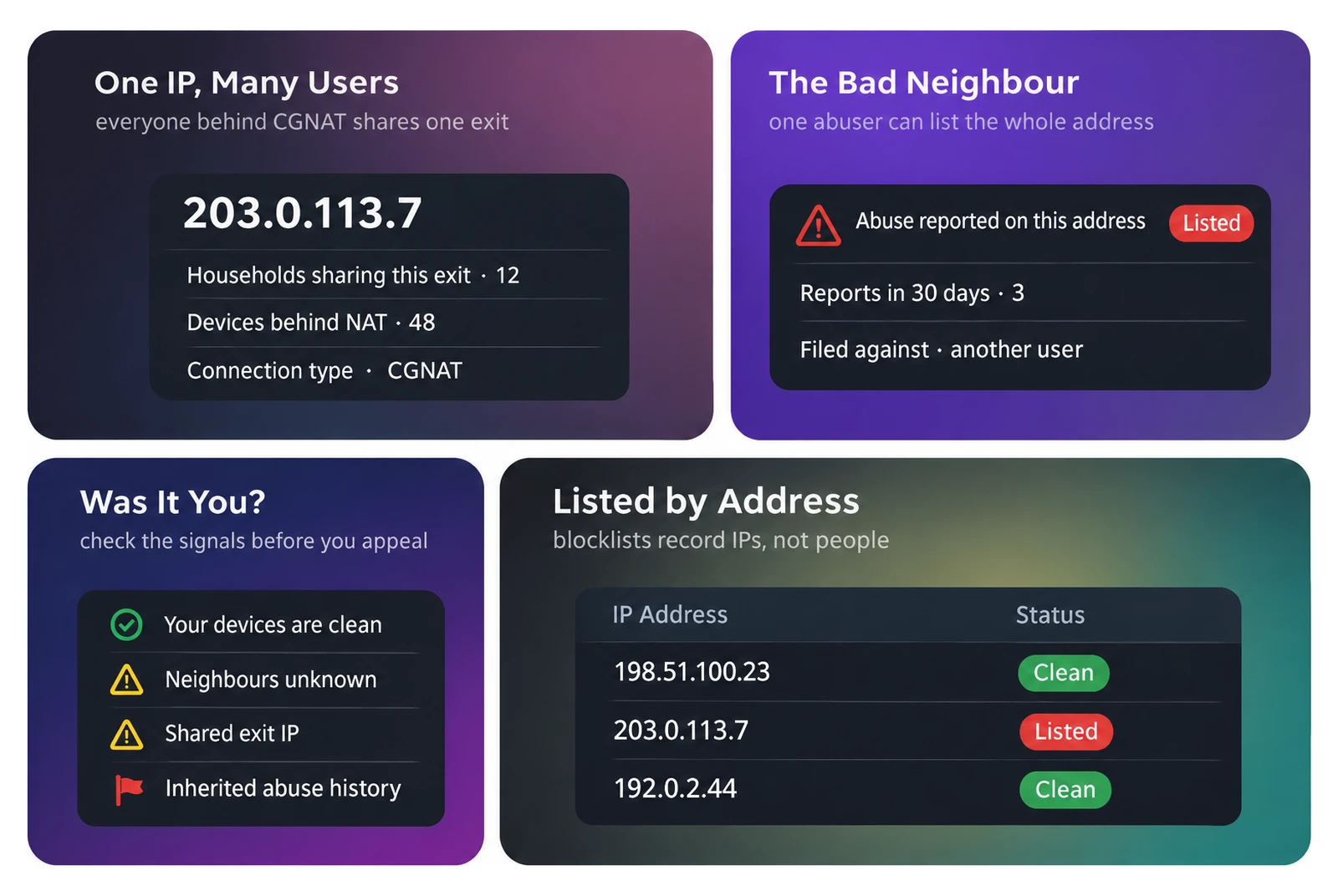
CGNAT mobile and ISP connections, shared building Wi-Fi, and public hotspots put many users behind one public address. One user's abuse can get the shared address flagged for everyone behind it. Our article on bandwidth sharing and blacklisting covers this trap in detail — including how to tell whether the cause is yours or a neighbour's.
5. Too many requests, too fast
Rate limiting is not about reputation at all. Refreshing a page twenty times, a misbehaving browser extension retrying in a loop, or an automation script can trip a velocity rule and earn a temporary block — often with error 1015 on Cloudflare. The fix is to stop and wait: these blocks usually expire in minutes to an hour.
6. A country or region rule
Some sites block whole countries or regions for licensing, compliance, or fraud reasons. If your IP geolocates to a blocked region — or your VPN exit does — the request is refused no matter how clean the address is. Check where your IP appears to be located; a mismatch between your real location and your IP's location is a signal in itself. Our IP risk score signals guide explains how providers weigh geolocation against the other signals.
What to do right now, in order
Work down this list. Stop at the step that unblocks you — that step names the cause.
- Reload once. A single accidental trigger (a stale cookie, a hiccup) clears on a fresh request. Do not hammer refresh: repeated requests are exactly what rate limiting punishes.
- Turn off your VPN or proxy and retry. This is the single most common fix. If the site loads, the exit IP was the problem, not you.
- Switch networks. Try mobile data. If it works there, your home or office IP is the problem.
- Check the IP's reputation. Run the address through an IP risk score check. A low safety score with proxy, hosting, or blacklist signals tells you which of the causes above applies, and our guide to reading the score explains what each band means.
- Restart your router (if your ISP gives you a dynamic IP). A fresh address from the pool often has a clean record. If your IP does not change, your ISP uses a sticky assignment — ask them for a new one.
- Wait out a rate limit. If the error is 1015 or the block appeared after heavy refreshing, wait 30–60 minutes before trying again.
- Contact the site, with the Ray ID. If the IP is clean, no VPN is involved, and the block persists, the rule may be misfiring on you specifically. Send the site's support the Ray ID, the error code, the time, and the IP the page showed. They can whitelist the address or fix the rule.
What to do if it keeps happening
A one-off block is an annoyance; a repeating block is a reputation problem, and it needs the longer fix:
- If a blocklist has the address, file a removal request with that list's operator. Spamhaus and similar operators run free removal forms; removal never costs money. Details and the order of operations are in the blacklist pillar guide.
- If the address is shared and a neighbour is the cause, ask your ISP for a new address, or move the activity that matters (email, account sign-ups) to a network you control. A dedicated IP — one address only you use — removes the neighbour problem entirely.
- If your own device is the source (malware sending spam, a compromised account), clean the device first. Delisting an address while the abuse continues just gets it listed again.
- If the site blocks all datacenter and VPN exits by policy, no reputation fix will help. Use your direct residential connection for that site, or accept the block and use a different service.
What does not work
- Refreshing fifty times. Velocity rules treat this as an attack. One reload, then stop.
- Switching to a random free proxy. You trade one shared, possibly flagged address for another — often a worse one. Free proxy lists are where flagged addresses go to be reused.
- Paying for "IP unblocking" services. No legitimate service can remove a site's firewall rule for you. Delisting is free with the list operator; whitelisting is the site's decision.
- Hiding behind Tor to get past it. Tor exits are among the most-blocked addresses on the internet. It makes the problem worse, not better.
When it is the site, not you
Sometimes the block says more about the site than about your IP:
- The site is under attack and has turned its firewall up. Blocks that appear during an incident and vanish later were never about you.
- The rule is misconfigured — a country block with a wrong range, a bot rule catching real browsers. If the IP is clean and the block persists, report it with the Ray ID; site operators do fix these.
- The site does not want your kind of traffic. Some services block all VPNs, all datacenter IPs, or whole regions as a matter of policy. That is their choice. No tool on your side overrides it, and any tool that claims to is selling a bypass, not a fix.
FAQ
Is "access denied" the same as being blacklisted? Not quite. A blacklist listing is one reason a firewall may refuse you, but the refusal can also come from network type, country rules, rate limiting, or a VPN exit. The access-denied page is the symptom; the listing is one possible diagnosis. Our flagged vs blacklisted guide draws the line in detail.
Will the block follow me to other sites? Only if the cause is your IP's reputation — a listing on a widely used blocklist will get you refused in many places. A rule on one site stays on that site.
How long does an access-denied block last? Rate-limit blocks: minutes to an hour. Rule-based blocks: until the rule changes or your IP changes. Blocklist listings: until someone files a removal and the operator clears it — hours to days.
Should I just get a new IP every time? For a one-off, a fresh dynamic IP is the fastest fix. As a habit, it is a treadmill: if the cause is your device, your network, or a shared address, the new IP inherits the same problem. Fix the cause; rotate the address only to escape a listing you did not cause.
Check the IP before the next block
An access-denied page is a lagging indicator — by the time you see it, the reputation damage is already done. Check the address you actually use, on the network you actually use, before it matters: a low safety score with hosting, proxy, or blacklist signals is the warning; the block is the consequence. Run the free IP risk score check and fix what it flags while you still have a choice about timing.