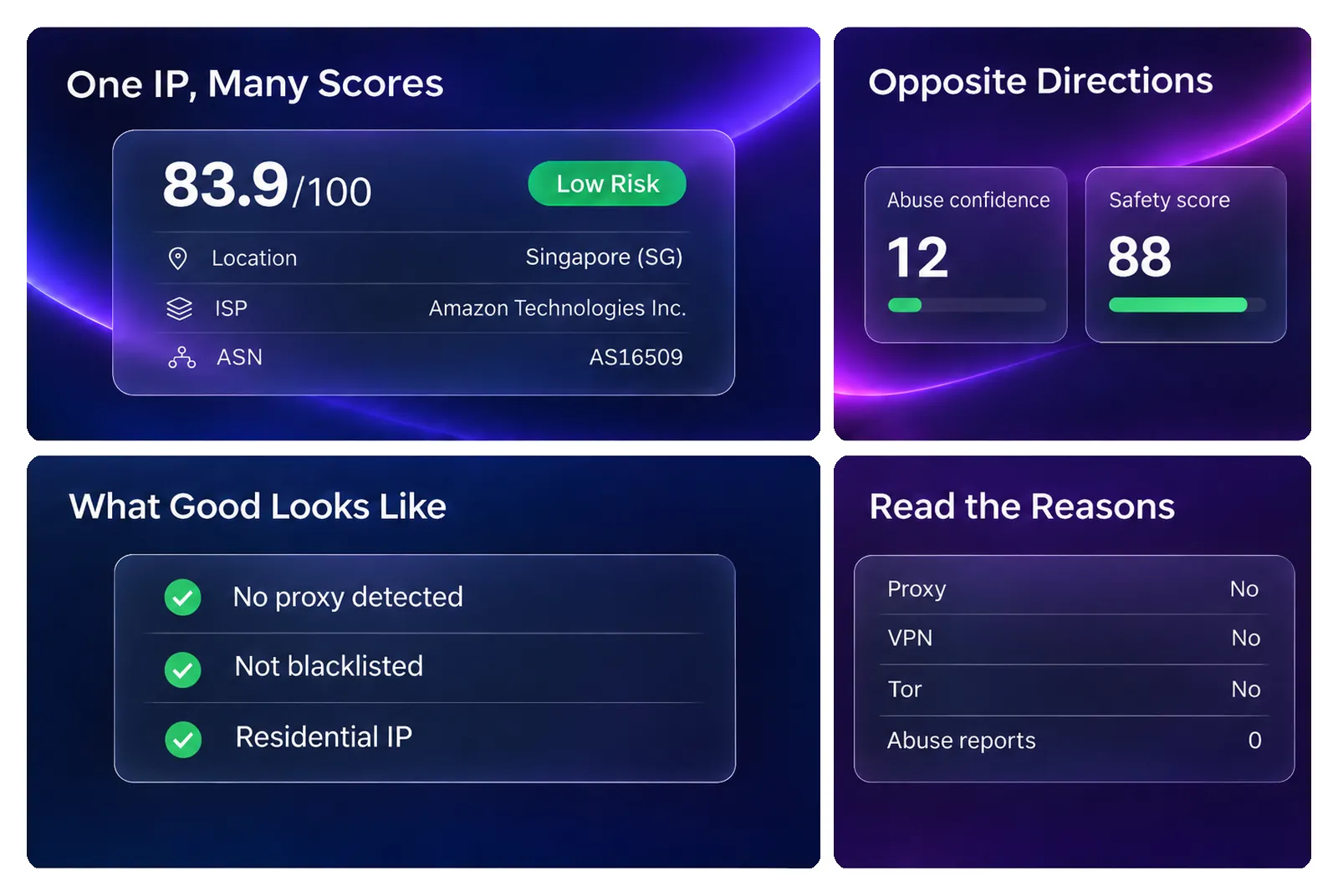
TL;DR: A "good" IP reputation score depends on which checker you ask. On risk-style scores (AbuseIPDB, Scamalytics, IPQualityScore), lower is better and 0 is the cleanest result. On safety-style scores like IP Ready's Safety Score, higher is better and 100 is best. Never compare two numbers until you know each score's direction, what it counts, and how old the evidence behind it is.
You check your IP on one site and get a 12. Another site gives you an 87. A third shows a green checkmark and no number at all. All three are called an "IP reputation score", yet they seem to contradict each other.
They don't — because there is no universal IP reputation score. Each provider builds its own number from its own data, and roughly half of them count in the opposite direction. This guide explains what "good" means on the scales you are most likely to meet, why the same address earns different scores, and what actually drags a score down.
First, check the direction
Every IP score answers a slightly different question, but they fall into two families:
- Risk-style scores estimate how dangerous an address looks. Higher means worse. A perfect result is 0.
- Safety-style scores estimate how trustworthy an address looks. Higher means better. A perfect result is 100.
| Checker | Scale | Direction | What it measures | What "good" looks like |
|---|---|---|---|---|
| AbuseIPDB | 0–100 | Lower is better | Confidence, built from user abuse reports, that the IP is malicious | 0. Above 25 is worth reviewing |
| Scamalytics | 0–100 | Lower is better | Share of users seen from the IP that its network linked to fraud | 0–19, its low-risk band |
| IPQualityScore | 0–100 | Lower is better | Fraud risk from the IP plus request signals | Below 75. It recommends blocking at 90+ |
| MaxMind minFraud | 0.01–99 | Lower is better | Estimated risk of the traffic coming from the address | As close to 0 as possible |
| IP Ready Safety Score | 0–100 | Higher is better | 12 signals: network type, proxy/VPN/Tor, blacklists, abuse history, and more | A high score with a Low Risk label |
AbuseIPDB: 0 is good, and the number is a confidence, not a grade
AbuseIPDB's "Confidence of Abuse" is built from reports submitted by its users. A score of 100 means the service is sure the address is malicious; 0 means it has no reason to suspect it. The rating rises with the number of distinct reporters — on a logarithmic scale, so the first reports move it slowly — and every report loses weight as it ages. Scores are recalculated daily.
AbuseIPDB publishes no official "good" threshold. In practice, operators treat anything above 25 as worth a look and above 50 as a genuine problem. A small score left over from one old report is common on shared addresses and usually fades on its own.
Scamalytics: good means the 0–19 band
Scamalytics expresses its fraud score as a rough proportion: a score of 70 means about seven in ten users seen from that address were linked to fraud. Its published bands are 0–19 low risk, 20–59 medium, 60–89 high, and 90–100 very high, with suggested actions from "allow" through "show a CAPTCHA" to "block".
Note that Scamalytics also scores the neighbourhood — addresses in the same subnet, ASN, or hosting block as known-bad ones can inherit a higher score before they are reported themselves.
IPQualityScore: below 75, and beware the proxy effect
IPQualityScore (IPQS) treats a fraud score of 75 and above as suspicious and recommends blocking at 90 and above. The catch: IPQS itself notes that an average proxy or VPN connection scores around 70–75. So a VPN exit can sit just under the suspicious line while doing nothing wrong — the score is partly pricing in the anonymizer, not only abuse.
IP Ready: higher is better, and the label matters
IP Ready shows a Safety Score from 0 to 100, calculated as 100 minus the underlying IP risk score. A clean residential address typically lands in the 90s with a Low Risk label — for example, a US residential IP we measured scored 95.8. Google's public DNS address 8.8.8.8 scored 70.1: still Low Risk, but lower, because it sits in a datacenter range and reads as a suspected network exit. Same "low risk" family, different strengths — which is why the score and its label should be read together.
So what is a good IP reputation score?
The honest short answer:
- On AbuseIPDB, good is 0, acceptable is a small fading score from old reports.
- On Scamalytics, good is 0–19.
- On IPQualityScore, good is comfortably below 75.
- On IP Ready, good is a high Safety Score with a Low Risk label.
And one calming fact: you rarely need a perfect score. Platforms act at their own thresholds — a CAPTCHA here, a verification step there — and most only block at the extreme end of their scale. A mid-range score on one checker is a reason to look closer, not a verdict.
Why two checkers disagree about the same IP
- Different evidence. AbuseIPDB counts community reports. Scamalytics uses fraud feedback from its customer network. Others lean on blocklists or their own sensors. An address can be heavily reported in one system and invisible in another.
- Different time windows. Reports decay at different speeds, so last month's incident may still count on one scale and be gone from another.
- Different units. Some score your exact address; others partly score the whole /24 range or ASN around it. On shared and CGNAT addresses, your neighbours' behaviour can move your number.
- Different questions. "How confident are we that this IP is malicious?", "how likely is this visit to be fraud?", and "is this network suitable for a given platform?" are three different questions that all get shortened to "IP score".
What drags a reputation score down
The same handful of signals show up again and again:
- Datacenter and hosting ranges. Legitimate, but shared with countless other customers, so checkers treat them cautiously. This is the core of the residential vs datacenter trade-off.
- Proxy, VPN, and Tor exits. Anonymity is itself a risk signal on most scales.
- Other people's traffic. Botnets have turned home devices into proxy exits without their owners knowing — 1.3 million TV boxes in a recent takedown — dirtying residential addresses that look "clean" by type.
- Abuse reports and blacklist listings. If your address has been reported for spam, scanning, or brute-force attempts, expect most scores to suffer until the reports age out. Our blacklisted IP guide covers how to check and get delisted.
- No history at all. A brand-new address is unknown, not proven good. Some systems score "no data" cautiously rather than generously.
How to check your IP reputation score
- Start with a combined view. Check your IP on IP Ready to see the Safety Score, the individual signals behind it, and a per-platform readiness estimate.
- Cross-check one report-based source. Look your address up on AbuseIPDB and read the report dates and categories, not just the headline number. Recent reports matter; a single report from last year mostly doesn't.
- Read the reasons, not the number. A low score caused by "datacenter range" calls for a different fix than one caused by fresh abuse reports.
If your score is bad
- Identify the signal first. Hosting range, anonymizer flags, blacklist entries, and abuse reports each have a different remedy.
- If you rent the IP (VPN, proxy, VPS), ask the provider for a different exit or switch to a cleaner one — you cannot repair a stranger's history.
- If the address is yours and it is blacklisted, fix the root cause (compromised device, misconfigured server) and then follow the delisting steps in our blacklist guide.
- Give decay time to work. Report-based scores fall as reports age. Recheck after a few weeks rather than expecting an overnight change.
- For accounts that matter, use a stable residential connection whose score you have verified, instead of rotating through exits you know nothing about.
FAQ
What is a good IP reputation score?
It depends on the scale. On risk-style scores — AbuseIPDB, Scamalytics, IPQualityScore — good means low: 0 on AbuseIPDB, 0–19 on Scamalytics, well below 75 on IPQS. On safety-style scores like IP Ready's Safety Score, good means high, ideally in the 90s with a Low Risk label.
Is an IP reputation score of 0 good or bad?
On risk and fraud scores, 0 is the best possible result — no adverse evidence. On a safety score, 0 is the worst. Always check which direction a checker uses before celebrating or panicking.
Why is my IP reputation score different on every website?
Because each service uses different data, time windows, and formulas. One may count community abuse reports, another fraud feedback, another blocklist membership — and some score the network around your address, not just the address itself.
Does using a VPN hurt my IP reputation score?
Usually, yes. VPN exits are shared by many users and flagged as anonymizers, so most scales rate them cautiously. IPQualityScore, for example, puts a typical VPN connection around 70–75 on its fraud scale before any abuse is considered.
How often do IP reputation scores change?
Constantly. AbuseIPDB recalculates daily as reports arrive and decay; other services update as their networks observe new traffic. A score is a snapshot, and a single busy week of bad traffic from a shared address can move it noticeably.
Can I improve my IP reputation score?
If the address is yours: stop the abusive traffic, get delisted, and let old reports decay. If the address is rented or shared, the practical fix is to switch to a cleaner exit — you cannot rewrite another user's history on that IP.
Want your own number? Run a free IP reputation check — Safety Score, the signals behind it, and readiness estimates for Claude, ChatGPT, Amazon, eBay, and Binance, with no sign-up.